Meta-Prompting: How to Use AI to Design Better Prompts
Meta-prompting asks a model to design reusable prompts before completing a task. It improves consistency, scalability, and output quality.
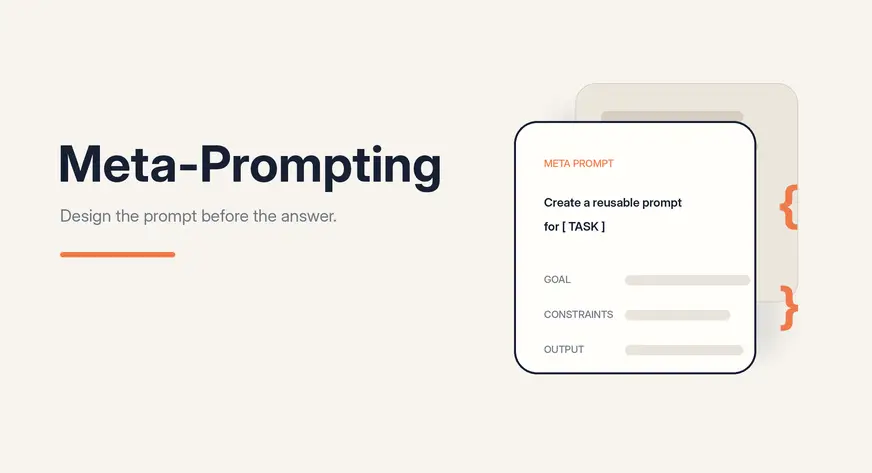
Prompts shape every interaction with a large language model. Clear instructions produce focused, useful responses, while vague ones often lead to inconsistent results. This becomes harder when teams need the same task completed repeatedly in a fixed format, tone, or structure.
Meta-prompting asks the model to design a reusable prompt, template, checklist, or workflow before completing the task. In this article, we’ll explore how it improves consistency, scalability, and prompt quality.
What is Meta-Prompting?
Meta-prompting is a technique where one prompt is used to create, improve, or control another prompt. In simple terms, it means prompting the model to become a prompt designer.
In normal prompting, you directly ask the model to complete a task. For example:
“Write an article on AI agents.”
In meta-prompting, you ask the model to first create the best prompt for that task. For example:
“Create a reusable prompt that can help an AI model write high-quality articles on AI topics.”
The output of a meta-prompt is usually not the final answer. It can be a prompt template, system instruction, set of rules, checklist, rubric, or structured workflow that can be reused for similar tasks.
This is useful when you want consistency across many outputs. Instead of writing a new prompt every time, you create a strong reusable prompt structure once and use it across multiple tasks.
How Does Meta-Prompting Work?
Meta-prompting works by adding an extra layer before the final task. Instead of directly asking the model to produce the final output, you first ask it to create the right prompt, template, or instruction set for that output.
A simple meta-prompting workflow has four steps.
- Define the goal: Clearly state what the final prompt should help the model produce, such as a customer feedback summary, Python code, a blog article, or a business report.
- Add constraints: Specify the tone, audience, length, structure, tools, examples, formatting rules, and anything the model should avoid.
- Generate a reusable prompt: Ask the model to create a clear prompt with instructions and placeholders that can be adapted for different inputs.
- Test and refine: Try the generated prompt on real examples. If the results are unsatisfactory, improve the meta-prompt and repeat the process.
This makes prompting more systematic. You are not just hoping for a good answer — you are designing a prompt workflow that can be tested, improved, and reused.
A Simple Meta-Prompt Template
A meta-prompt does not have to be complicated. A good meta-prompt usually includes the task, the goal, the constraints, the expected format, and a way to check the final output.
Here is a simple reusable template:
Act as an expert prompt designer.

Create a reusable prompt for the following task:

Task:
[Describe the task]

The prompt should follow these requirements:

Audience:
[Who the output is for]

Tone:
[Formal, simple, technical, friendly, etc.]

Length:
[Short, detailed, 500 words, etc.]

Output format:
[Paragraph, table, JSON, bullet points, report, etc.]

Must include:
[Important points]

Must avoid:
[Things the model should not do]

Return:

System instructions

User prompt template with placeholders

A short checklist to validate the output
This template helps the model create a prompt that can be reused for similar tasks. The checklist is important because it gives a simple way to verify whether the output follows the expected rules.
Hands-On: How to Use Meta-Prompting
Let us understand meta-prompting with a simple example.
Suppose you want to write articles on different AI topics. A normal prompt would be:
“Write an article on AI agents.”
This may give you one article, but the structure may change every time. One article may have examples, another may not. One may include FAQs, while another may miss them completely.
Instead of asking the model to write the article directly, we use meta-prompting.
Step 1: Write the Meta-Prompt
Act as an expert prompt designer.

Create a reusable prompt that helps an AI model write beginner-friendly articles on AI topics.

The article should include:

• A short introduction
• Simple explanation of the topic
• Practical examples
• Use cases
• Comparison with related concepts
• Best practices
• Common mistakes
• Conclusion
• FAQs

Keep the tone simple, educational, and practical.

Also include a checklist to validate whether the final article is complete.
Step 2: Model Generates a Reusable Prompt
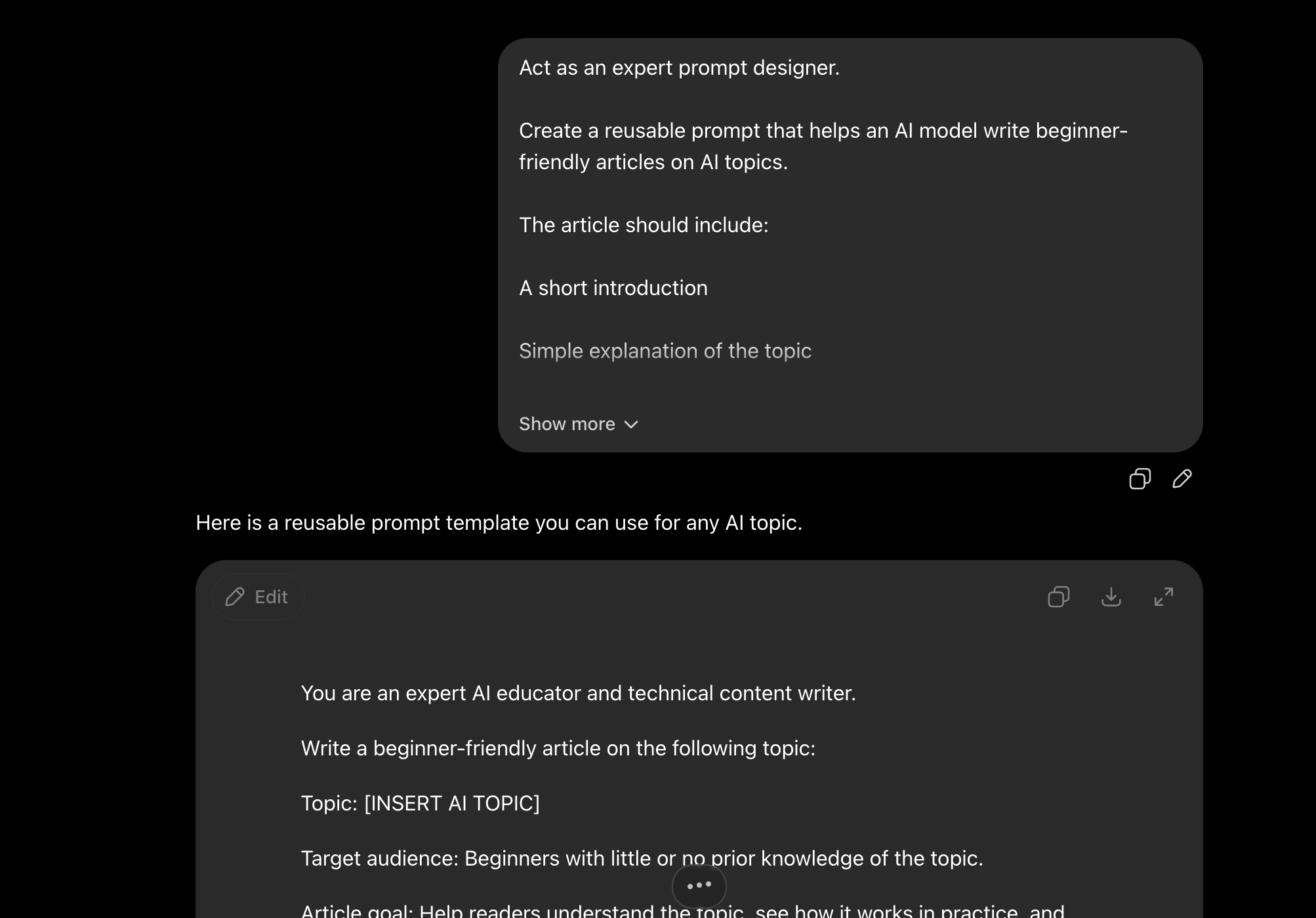
The model generates a prompt like this:
You are an expert AI educator and technical content writer.

Write a beginner-friendly article on the following topic:

Topic: [INSERT AI TOPIC]

Target audience: Beginners with little or no prior knowledge of the topic.

Article goal: Help readers understand the topic, see how it works in practice,
and learn when and how to use it.

Use a simple, educational, and practical tone. Explain technical terms using
plain language. Avoid unnecessary jargon, overly academic explanations, and
complex mathematical details. When a technical term is necessary, define it
immediately.

Use clear headings, short paragraphs, examples, bullet points, and tables
where they improve readability.

The article should follow this structure:

[Create a Clear and Engaging Title]

Introduction
Write a short introduction that:
• Introduces the topic
• Explains why it is useful or important
• Tells the reader what they will learn
• Uses a relatable problem, question, or real-world situation

What Is [Topic]?
Explain the topic in simple language.
Include:
• A clear definition
• The main purpose of the concept
• A simple analogy
• The basic idea behind how it works
Assume the reader has never studied the topic before.

How Does It Work?
Explain the process step by step.
Include:
• The main components
• The basic workflow
• What goes into the system
• What happens during processing
• What output is produced
Use a numbered explanation when appropriate.

Practical Examples
Provide at least two practical examples.
For each example, include:
• The problem
• How the concept is applied
• The expected result
• A simple walkthrough
Include beginner-friendly code, prompts, diagrams described in text, or sample
inputs and outputs when relevant. Explain every code example clearly. Do not
include code without explaining what it does.

Common Use Cases
Describe at least five realistic use cases.
For each use case, explain:
• The industry or situation
• The problem being solved
• How the topic helps
• The expected benefit
Use cases should be practical rather than overly theoretical.

Comparison With Related Concepts
Compare the topic with closely related concepts such as:
[INSERT RELATED CONCEPTS, OR IDENTIFY THEM AUTOMATICALLY]

Use a comparison table containing:
• Concept
• Main purpose
• How it works
• Best suited for
• Key limitation

After the table, explain when someone should choose each concept. Do not
present related concepts as identical. Clearly explain their differences.

Best Practices
Provide practical best practices for using the topic successfully.
Cover areas such as:
• Planning
• Data or input quality
• Prompt or configuration design
• Testing
• Evaluation
• Security
• Cost
• Performance
• Human review
• Continuous improvement
Explain why each best practice matters.

Common Mistakes
Describe the most common beginner mistakes.
For each mistake, include:
• What the mistake is
• Why it happens
• What problem it causes
• How to avoid or fix it
Include at least five mistakes.

Limitations and Considerations
Explain the important limitations of the topic.
Discuss relevant concerns such as:
• Accuracy
• Hallucination
• Bias
• Privacy
• Security
• Cost
• Scalability
• Maintenance
• Dependence on data or tools
Keep this section balanced. Do not exaggerate either the benefits or the risks.

Conclusion
Write a short conclusion that:
• Summarizes the main idea
• Reinforces the most important lessons
• Explains when the topic is useful
• Suggests one practical next step for beginners
Do not introduce new concepts in the conclusion.

Frequently Asked Questions
Write between five and eight FAQs.
Include questions about:
• The basic meaning of the topic
• How it works
• Whether coding is required
• Tools or platforms commonly used
• Costs or limitations
• Beginner learning steps
• Differences from related concepts
• Real-world applications
Keep each answer clear and concise.

Final Article Validation Checklist
Before submitting the article, verify the following:

Content
• The article has a clear and relevant title.
• The introduction is short and explains why the topic matters.
• The topic is defined in simple language.
• Technical terms are clearly explained.
• A simple analogy is included.
• The working process is explained step by step.
• At least two practical examples are included.
• Examples contain enough explanation for beginners.
• At least five practical use cases are included.
• Related concepts are compared clearly.
• A comparison table is included.
• Best practices are explained with reasons.
• At least five common mistakes are described.
• Limitations are discussed in a balanced way.
• The conclusion summarizes key lessons.
• FAQs are included and clearly answered.
Meta-Prompting vs Normal Prompting vs Few-Shot Prompting vs Chain-of-Thought Prompting
Each prompting technique serves a different purpose. The table below summarizes the key differences:
| Technique | What it does | Best for |
|---|---|---|
| Normal Prompting | Directly asks the model to complete a task | Simple, one-off tasks |
| Meta-Prompting | Asks the model to design a reusable prompt or workflow first | Repeated tasks that need consistent structure |
| Few-Shot Prompting | Provides examples inside the prompt to guide the output | Tasks where format and style can be demonstrated |
| Chain-of-Thought Prompting | Asks the model to reason step by step before answering | Complex reasoning, math, or multi-step problems |
Meta-prompting is most valuable when you need the same type of output produced reliably across many inputs. It adds an upfront design step that pays off at scale.
Common Meta-Prompting Patterns
Several patterns appear frequently when applying meta-prompting in practice.
Template generation: Ask the model to create a prompt template with placeholders for a recurring task, such as writing weekly status reports, generating product descriptions, or summarizing research papers.
Prompt critique and improvement: Provide an existing prompt and ask the model to identify weaknesses and rewrite it to be clearer, more specific, or better structured.
System instruction design: Ask the model to write a system-level instruction that sets the role, tone, constraints, and output rules for a specific assistant or workflow.
Checklist and rubric creation: Ask the model to generate a validation checklist or quality rubric that can be used to evaluate outputs against a defined standard.
Prompt chaining design: Ask the model to design a multi-step prompt sequence where each step builds on the output of the previous one, useful for complex tasks like research, analysis, or document generation.
Conclusion
Meta-prompting adds a structured design layer between your goal and the final output. By asking the model to create reusable prompts, templates, and validation checklists first, you reduce inconsistency, save time on repeated tasks, and build prompt workflows that can be tested and improved over time. Whether you are managing content pipelines, building AI-powered tools, or simply trying to get more reliable results from your models, meta-prompting is a practical technique worth adding to your workflow.
Frequently Asked Questions
Q: What is the difference between prompting and meta-prompting? Regular prompting asks the model to complete a task directly. Meta-prompting asks the model to first design the prompt or workflow that should be used to complete that task.
Q: Do I need coding skills to use meta-prompting? No. Meta-prompting is a text-based technique that works in any chat interface or API call. No programming is required to get started.
Q: When should I use meta-prompting instead of few-shot prompting? Use few-shot prompting when you have good examples and want the model to match a specific style or format. Use meta-prompting when you need a reusable structure for tasks you will run repeatedly and want the model to help design that structure.
Q: Can meta-prompting be used with any LLM? Yes. The technique works with any large language model that can follow detailed instructions, including GPT-4, Claude, Gemini, and open-source models.
Q: How do I know if my meta-prompt is working well? Test the generated prompt on several real inputs. If the outputs are consistent, complete, and match your requirements, the meta-prompt is effective. If results vary or miss key elements, refine the meta-prompt and test again.