Ten ChatGPT Features and Techniques That Improve Response Quality
Most users interact with ChatGPT like a search engine and miss its full capabilities. These ten techniques close that gap.
Most people use ChatGPT like a smarter search engine. Ask a question, get an answer, and move on.
It works, but it leaves a surprising amount of value on the table.
Over the past few years, ChatGPT has evolved far beyond a simple chatbot. It can browse the web, analyze files, generate images, maintain memory, and even conduct realistic voice conversations. Yet many users continue to interact with it exactly as they did on day one.
The result is a gap between what ChatGPT can do and what most people actually use it for.
If you’ve ever felt that ChatGPT’s answers were generic, repetitive, or inconsistent, the problem might not be the model. It is the way you’re using it.
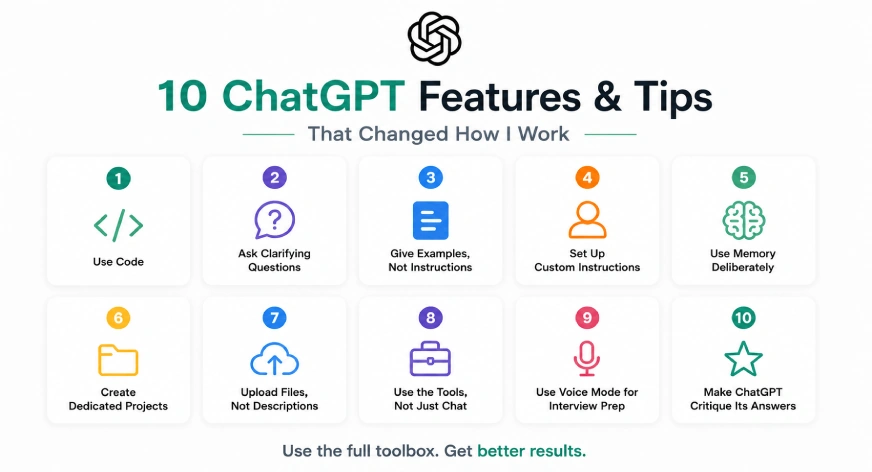
Here are ten features and techniques that have dramatically improved the quality of responses from ChatGPT.
1. Use Code
Language models are excellent at working with language. But math isn’t language, and neither is logic.
The problem occurs when ChatGPT tries to solve problems requiring math or reasoning using language.
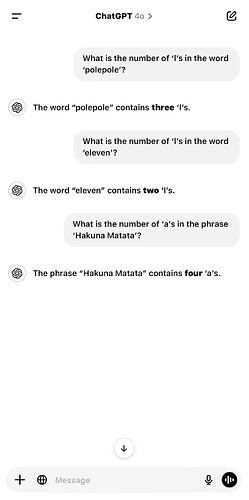
While modern models are significantly better at reasoning and calculation than earlier versions, errors still happen.
Whenever accuracy matters, add the following phrase to your prompt:
Use Code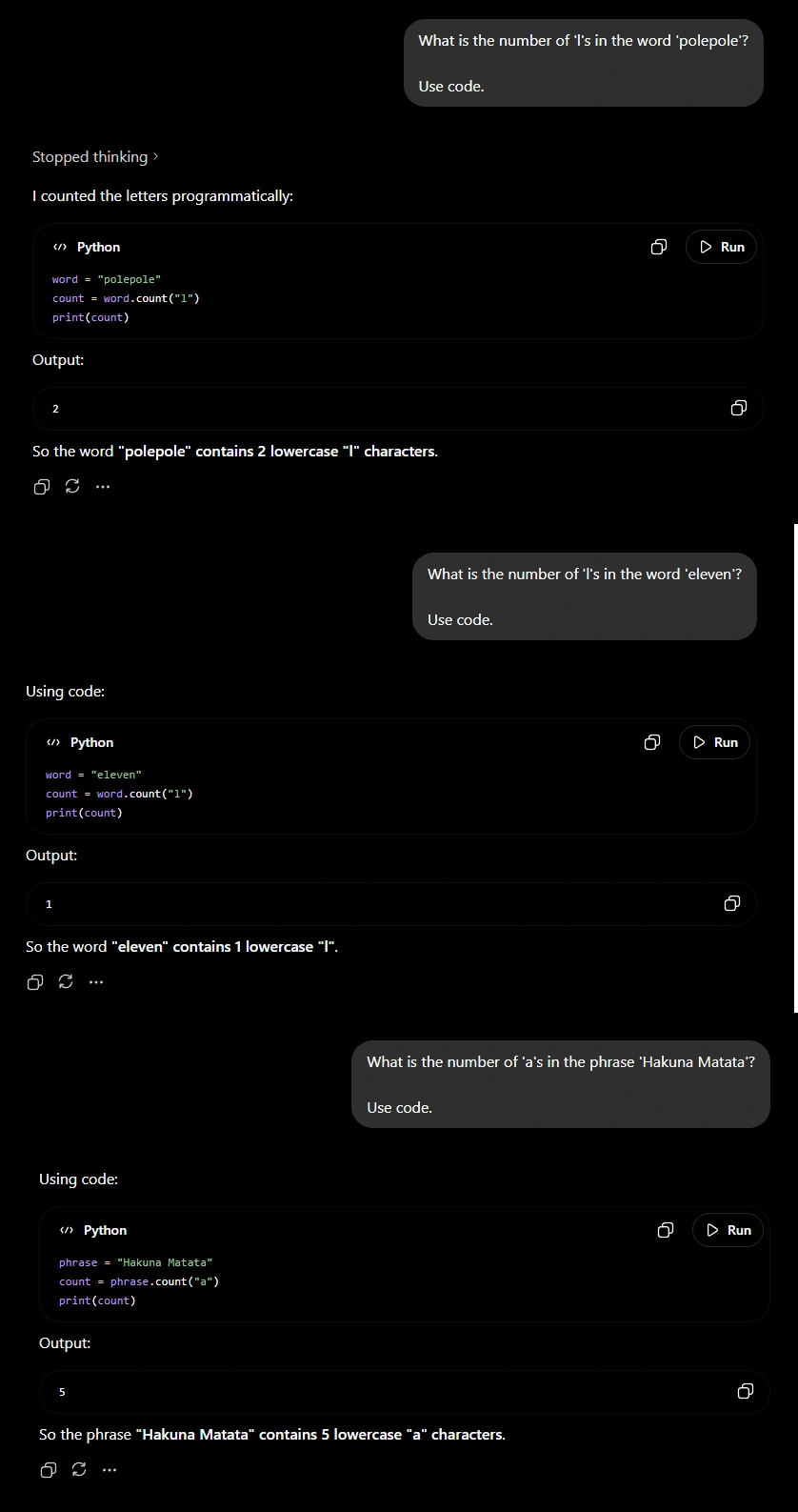
This is especially useful for financial analysis, statistics, compound interest calculations, percentage changes, data analysis, and any task where precision is important.
The difference is simple: instead of estimating the answer, the model uses code logic.
2. Asking Clarifying Questions
One of the biggest mistakes users make is assuming ChatGPT already knows enough to answer their question.
Imagine asking someone to help you write a resume without telling them your:
- Experience
- Skills
- Target role
- Industry
Most people would ask follow-up questions before giving advice. ChatGPT should be no different.
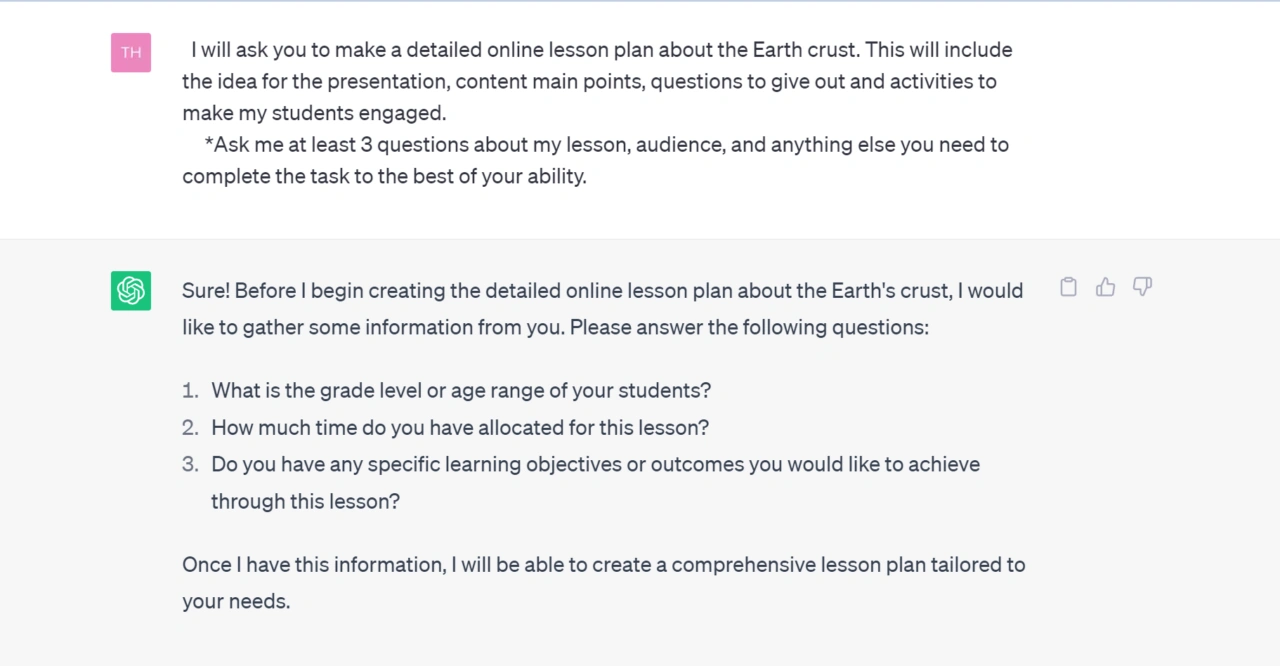
By asking the model to gather context before answering, you reduce guesswork and increase the relevance of the final response.
This becomes especially useful for tasks such as career advice, business planning, travel recommendations, content creation, and technical troubleshooting. In these situations, the quality of the output is often determined by the quality of the information available.
The few seconds spent answering clarifying questions are usually worth the significantly better result.
3. Give Examples Instead of Instructions
Many users spend several paragraphs explaining what they want when a single example would have done the job better.
If you want a LinkedIn post, provide a LinkedIn post whose style you like. Want an article? Provide a style you admire. If you want a specific tone, show the model what that tone looks like.
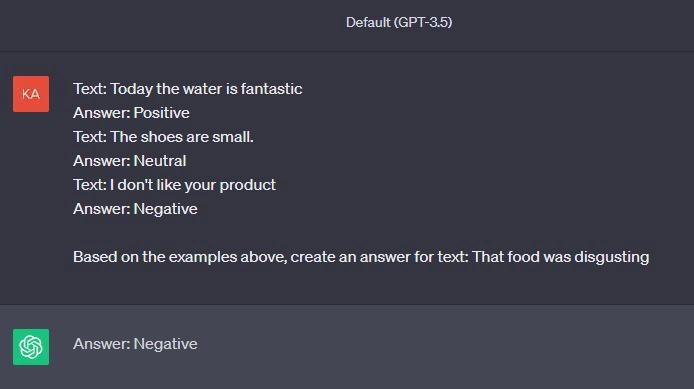
Instead of forcing ChatGPT to interpret your description of a writing style, structure, or format, you’re showing it exactly what success looks like.
This technique often produces a larger improvement in output quality than writing increasingly complicated prompts.
4. Set Up Custom Instructions
One of the most underrated features in ChatGPT is Custom Instructions.
Think about how often you repeat the same information:
- Your profession
- Your writing preferences
- Your preferred response style
- Your level of expertise
Without Custom Instructions, ChatGPT starts every conversation as if it’s meeting you for the first time.
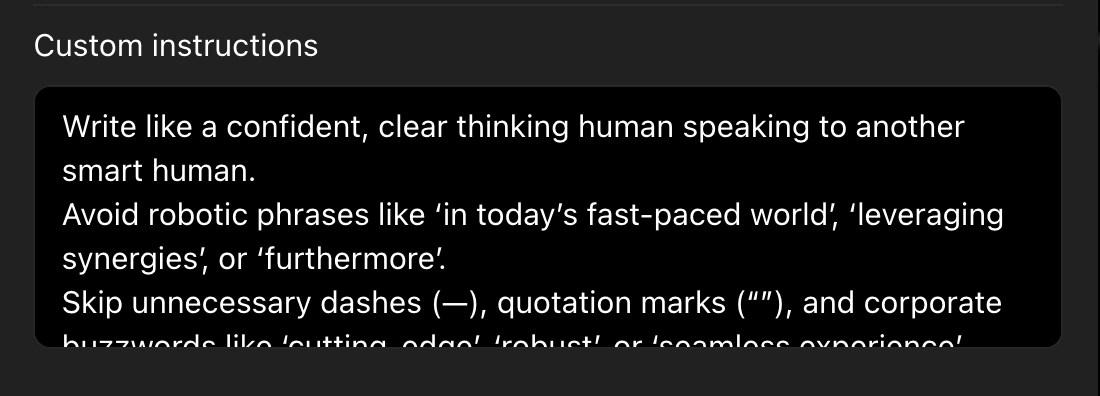
With Custom Instructions, the model begins each conversation with a baseline understanding of who you are and how you prefer to work.
This reduces repetition and creates a more consistent experience across conversations. For frequent users, this feature can save an enormous amount of time.
5. Use Memory Deliberately
Memory and Custom Instructions complement each other.
Custom Instructions tell ChatGPT how to interact with you. Memory helps it remember relevant details over time.
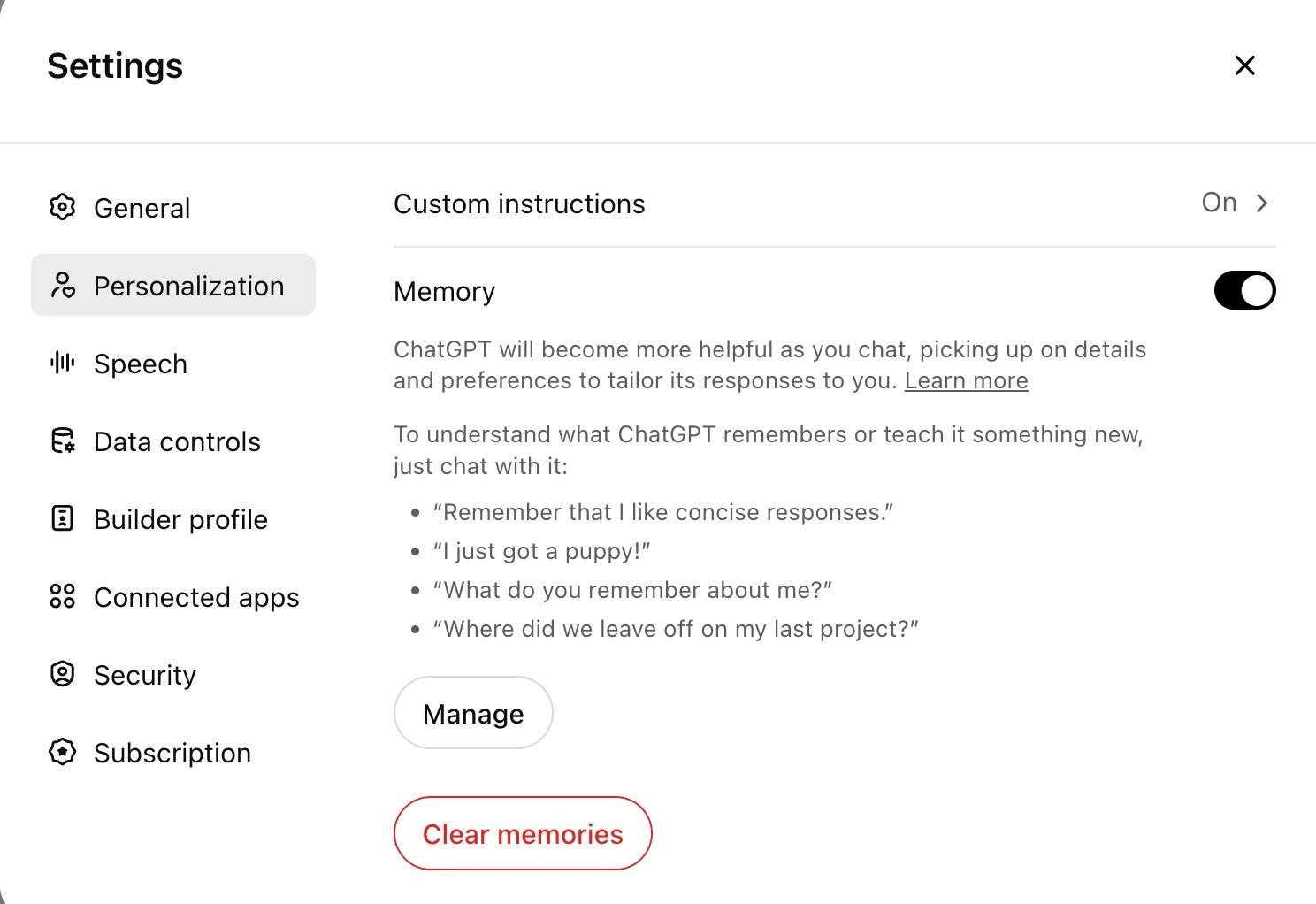
The key word here is relevant.
Useful memories include long-term projects, career goals, writing preferences, recurring workflows, and personal preferences that consistently improve future interactions.
The best results come from treating memory like a curated workspace rather than a storage closet.
When managed properly, memory transforms ChatGPT from a tool you repeatedly train into one that gradually adapts to the way you work.
Tip: To understand how well ChatGPT understands you, use the following prompt:
"What can you say about me based on our previous interactions?"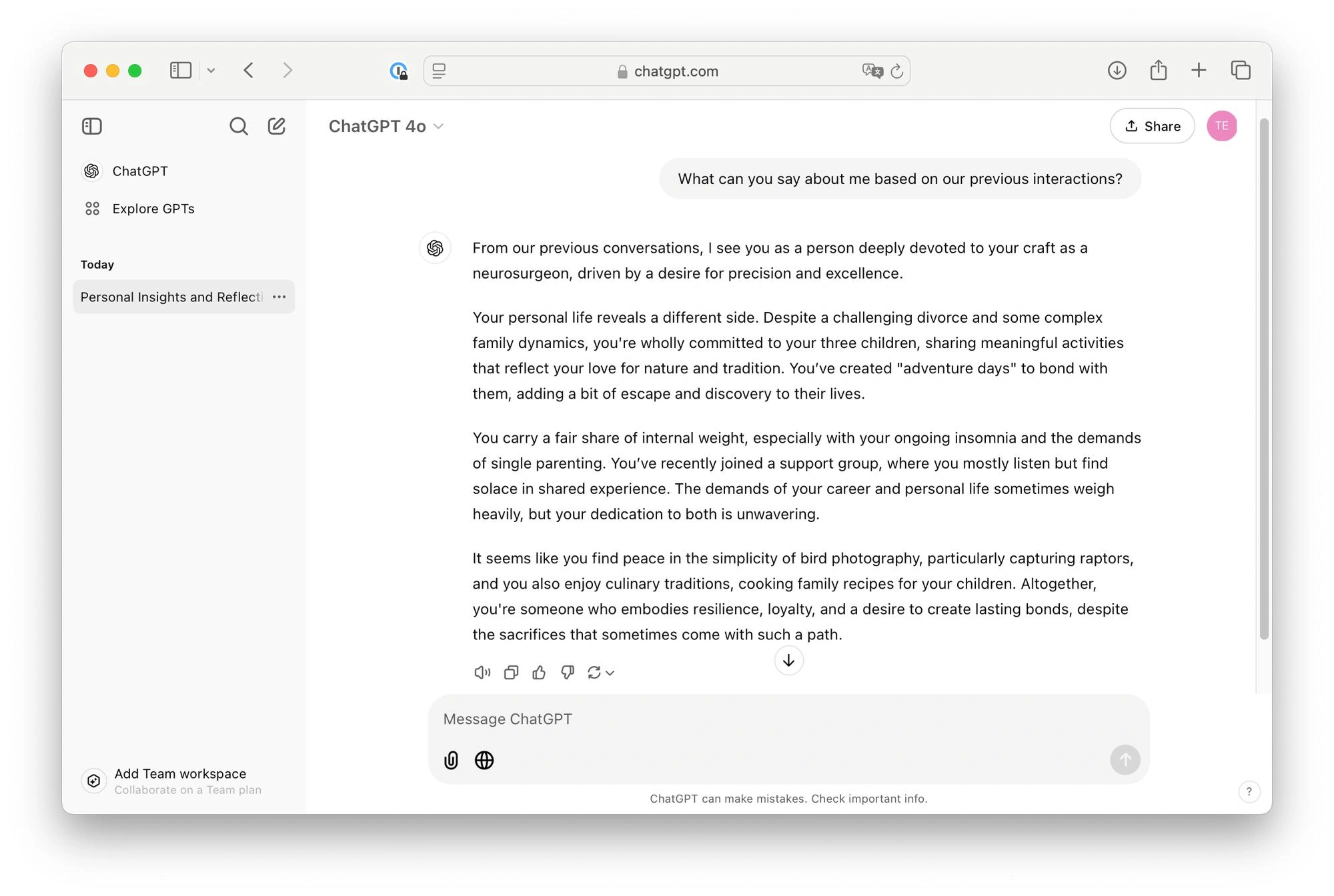
6. Create Dedicated Projects
Most users have dozens of disconnected conversations spread across their chat history:
- A job search in one chat
- A side project in another
- Research notes somewhere else
Projects solve this problem by creating dedicated workspaces for specific goals.
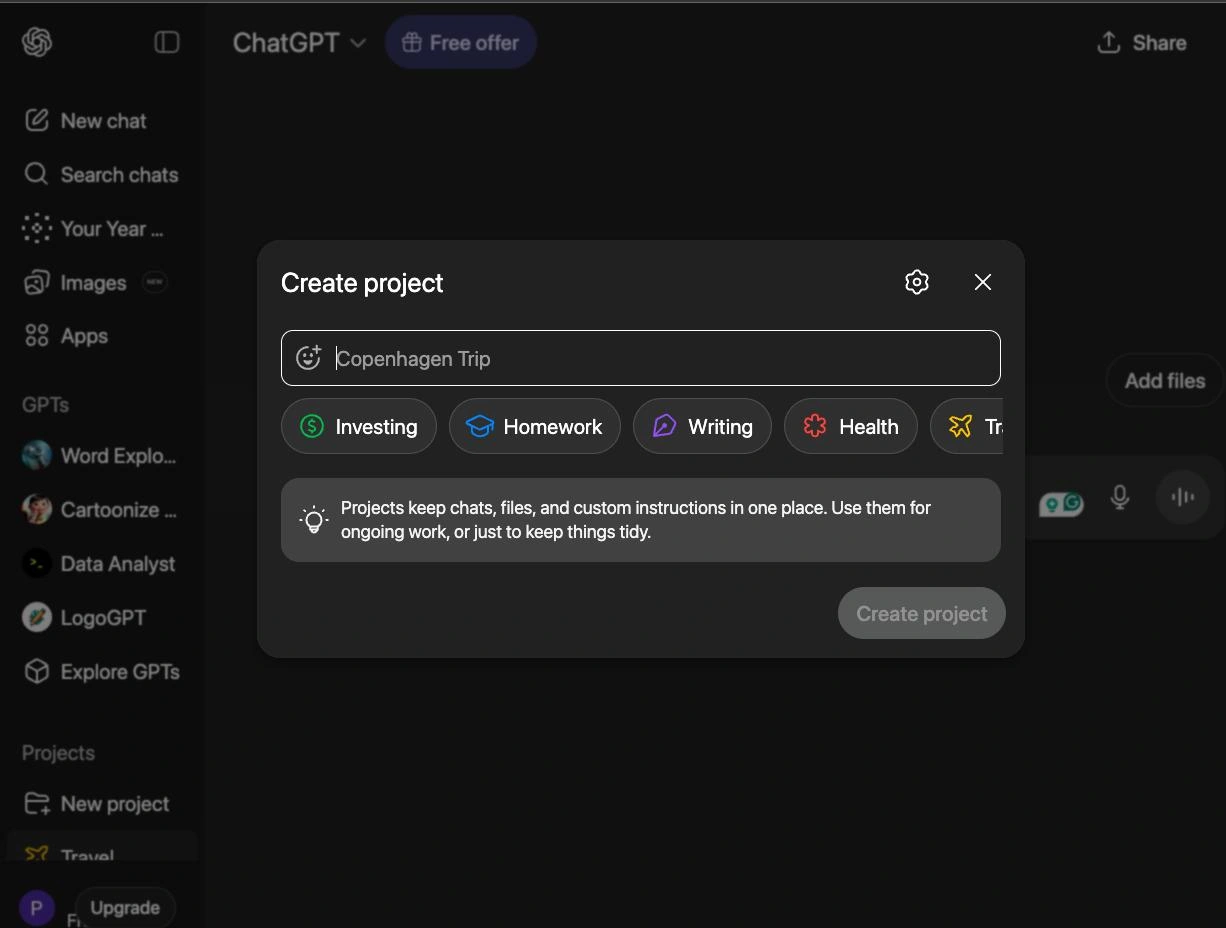
Instead of scattering information across unrelated chats, dedicated projects keep relevant context, files, and conversation history organized in one place. This makes it easier to pick up where you left off and maintain continuity across longer-term work.
7. Upload Files Instead of Describing Them
Describing a dataset, document, or spreadsheet in natural language introduces errors and ambiguity. Uploading the file directly gives ChatGPT accurate, complete information to work with.
This applies to PDFs, CSVs, Word documents, images, and more. Rather than summarizing what a document contains, let the model read it directly and ask your questions from there.
8. Use the Tools, Not Just the Chat Box
ChatGPT includes several built-in tools that most users overlook entirely:
- Web browsing for current information beyond the training cutoff
- Code interpreter for running and testing code, analyzing data, and generating charts
- Image generation via DALL·E for visual outputs
- File analysis for working with uploaded documents and data
Each tool extends what the model can do beyond pure text generation. Using the right tool for the right task produces significantly better results than relying on the chat interface alone.
9. Use Voice Mode for Interview Preparation
Voice Mode is one of ChatGPT’s most underused features for practical skill-building. It enables real-time spoken conversation with the model, which makes it particularly effective for interview preparation.
Instead of typing out practice questions and reading responses, you can simulate an actual interview conversation. Ask ChatGPT to play the role of an interviewer in your target field, answer out loud, and receive spoken feedback on your responses. The back-and-forth format builds the kind of fluency and confidence that written practice cannot replicate.
10. Make ChatGPT Critique Its Own Answers
ChatGPT’s first response is not always its best response. One of the most effective ways to improve output quality is to ask the model to evaluate what it just produced.
After receiving an answer, follow up with prompts such as:
- “What are the weaknesses in this response?”
- “What did you assume that might not be true?”
- “How would you improve this if you rewrote it?”
This approach surfaces gaps, incorrect assumptions, and oversimplifications that would otherwise go unnoticed. It also tends to produce more nuanced and reliable follow-up responses.
Final Thoughts
The gap between what ChatGPT can do and what most people use it for comes down to familiarity with its features and intentionality in how you prompt it. Using code for calculations, providing examples instead of lengthy descriptions, configuring Custom Instructions and Memory, organizing work into Projects, uploading files directly, and applying the right built-in tools are all habits that compound over time. Each one individually produces a noticeable improvement; together, they significantly change the quality and consistency of what ChatGPT delivers.