Why I Stopped Using One Agent and Built a Multi-Agent Pipeline
A single-agent text-to-SQL system failed on complex queries. Here's how a multi-agent pipeline fixed it.
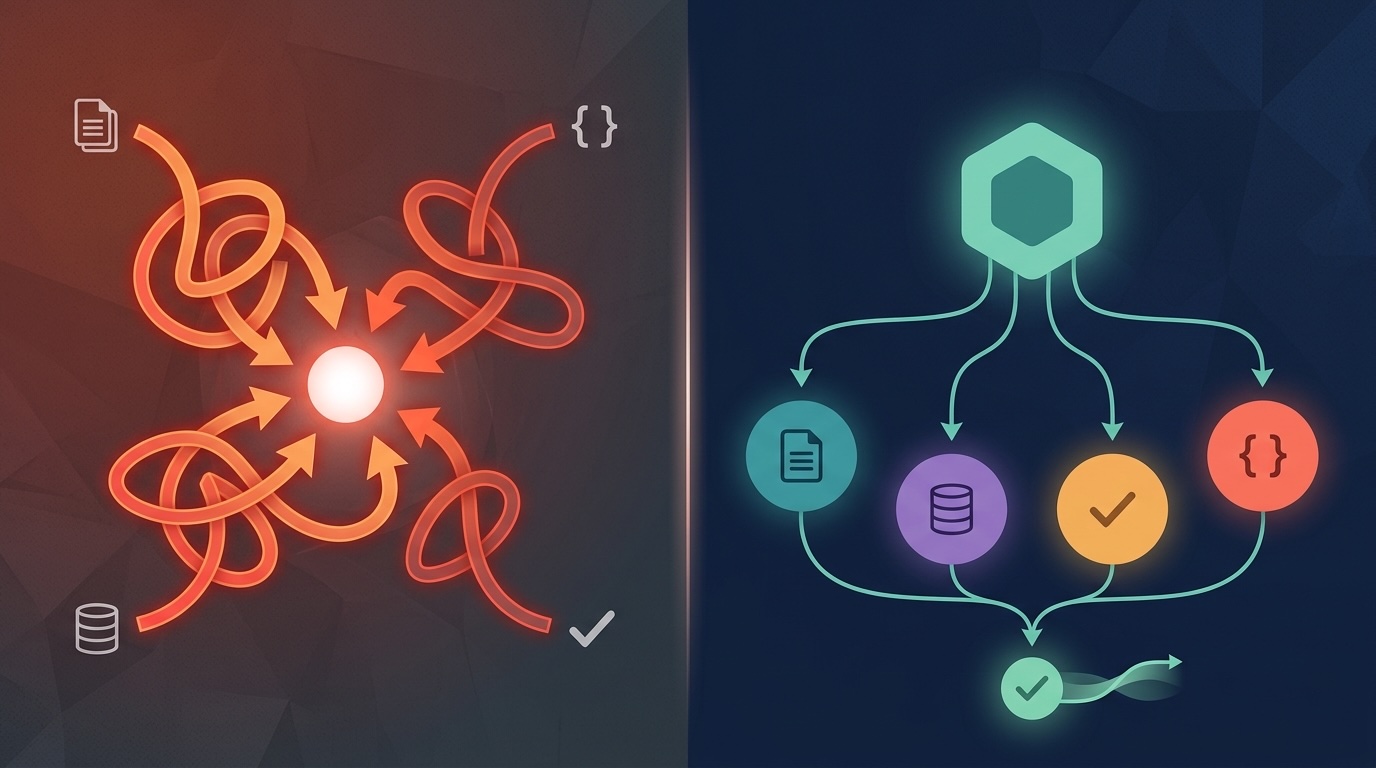
We developed a text-to-SQL application using a simple one-agent architecture that takes a user query in natural language and, after passing a validation checkpoint, generates a SQL query. After completing the development we started testing it and realised that a one-agent architecture was not enough. It worked for simple queries where only one or two operations were required, but it started failing when users asked complex queries involving multiple operations and schema scans.
After thorough testing we realised that a single agent couldn’t perform every task. The agent was trying to parse the intent, map it to a schema, generate a valid SQL query, and validate its own output all in one go. By the third retry, the context was so bloated with failed attempts and self-corrections that the agent started contradicting itself.
After that we decided to revisit our architecture and implemented a multi-agent system with specialised agents for every task, instead of relying on just one agent to do everything.
In This Article
- Why single agents struggle with complex tasks
- What multi-agent architecture actually means in practice
- How to design specialised agents and wire them together
- Orchestration and state management with LangGraph
- How agent nodes are actually implemented
- The feedback loop and retry logic
- What breaks in production
- When you shouldn’t use this
- Conclusion
Why a Single Agent Struggles
There’s an assumption when you first start building with LLMs that if the model is capable enough, a good prompt can do everything. This is achievable for simpler tasks, but as the task grows in complexity you’re not just asking the model to think harder — you’re asking it to hold multiple competing mental models in a single context window simultaneously.
Take the text-to-SQL problem as an example. To turn a natural language question into a correct SQL query, you need to:
- Parse what the user actually wants (intent decomposition)
- Map those intents against the real schema (schema awareness)
- Write syntactically correct SQL (query generation)
- Verify the output SQL (validation)
Intent decomposition is an NLP task that requires the agent to understand the user’s query and break down its hidden meaning. Schema mapping requires precise factual grounding of the database to map the intent against the correct table schemas. Query generation demands complete schema and syntactic knowledge. Validation needs a critical, adversarial lens to judge the generated SQL.
A single agent trying to do all four will do each of them with mediocrity but none of them well. The failures are subtle: a join condition that’s almost right but wrong for the user’s context, a filter that ignores a time constraint, or an aggregate that looks correct until you check the edge cases and it fails.
Every failed attempt stays in memory. The model sees what it tried before and makes increasingly small adjustments rather than stepping back and rethinking. After three retries you’re not getting a fresh attempt — you’re getting a revision of a bad first draft.
What Multi-Agent Actually Means
A multi-agent system is a collection of agents, each with a specific responsibility, coordinated by an orchestrator that manages the flow between them. Instead of one agent doing everything with mediocre results, you have several agents each specialised in one thing.
In practice, there are two ways to structure a multi-agent system. The first is sequential, where agents run one after another, each receiving the output of the previous one as its input. The second is parallel, where agents run simultaneously on independent sub-tasks and their outputs are merged by an aggregator.
Most real systems use both. Our text-to-SQL pipeline is sequential by design: you can’t map schema until you’ve parsed intent, and you can’t validate until you have a query. But within that sequence, you might run parallel lookups against different schema sections simultaneously.
One thing to understand is that the orchestrator itself can be an LLM agent, or it can be deterministic routing logic. For a pipeline where the flow is well-defined and predictable, deterministic routing is almost always the better choice. You don’t need an LLM to decide “run schema mapping after intent parsing” — that decision never changes.
Designing the Agents

For a text-to-SQL system, the agent breakdown maps directly to the failure modes we saw with a single agent. We tested the system against the question “extracting the top customers in each category and compare their purchase trend against the category average over the last 12 months,” and it helped us scope every agent in our system.
The Intent Parser Agent takes the raw user question and decomposes it into discrete intents. The question about top customers contains at least three intents: rank customers by category, compute their purchase trend, and compare that trend against a category-level baseline. A single agent doing this inline tends to partially decompose and then generate SQL for an incomplete interpretation. This agent’s only job is decomposing the user’s query into different intents.
The Schema Agent receives the decomposed intents and maps them to actual table names, column names, join conditions, and data types from your database schema. This is where a single-agent system fails: without explicit schema grounding, the agent invents column names that look plausible but don’t exist. For example, customer_purchase_value sounds like a real column in a customer transaction database, but this column doesn’t exist in our database. Keeping this as a separate agent with the schema injected directly into its context solves the problem cleanly.
The Query Builder Agent takes the schema-mapped intents and generates SQL. By the time this agent runs, the ambiguity is already resolved and it’s doing a focused generation task, not interpretation. The output quality difference compared to a single agent doing all of this together is significant.
The Critic Agent is the one most teams skip and later regret. The query builder will produce a syntactically valid query, but that’s different from being semantically correct. The critic agent receives the generated query and independently evaluates it against the original intents: does this actually answer what was asked? Are there edge cases it’s missing? Does the time window filter match what the user specified? You cannot credibly do this in the same context as generation because the model anchors to what it just wrote and will rationalise its own output rather than challenge it. A separate agent with a fresh context and an explicitly adversarial system prompt catches things the builder never would.
The Response Agent formats the final query for the user, adds a plain-language explanation of what it does, and surfaces any assumptions made during generation.
Each of these agents has a different system prompt, a different role, and most importantly, a fresh context window.
Wiring It Together with LangGraph
LangGraph is a good fit here because it gives you explicit control over state and edges. You define the graph, the nodes, and exactly how data flows between them. Nothing is abstracted away from you.
The state object travels through the entire pipeline. Every agent reads from it and writes back to it:
from typing import TypedDict, List, Optional

class PipelineState(TypedDict):
    user_query: str
    intents: Optional[List[dict]]
    schema_mapping: Optional[dict]
    generated_query: Optional[str]
    critique: Optional[dict]
    final_response: Optional[str]
    retry_count: int
    failure_source: Optional[str]  # tracks which agent caused a failure
The failure_source field is important to include in the agent’s state. When something goes wrong in production you need to know whether the critic is rejecting because the query builder failed or because the intent parser sent garbage downstream.
The graph structure itself is straightforward to implement (simplified logic for readability):
from langgraph.graph import StateGraph, END

def should_retry(state: PipelineState) -> str:
    critique = state.get("critique", {})
    if critique.get("passed"):
        return "respond"
    if state["retry_count"] >= 3:
        return "respond"  # surface best attempt, don't loop forever
    return "rebuild"

graph = StateGraph(PipelineState)

graph.add_node("parse_intent", intent_parser_node)
graph.add_node("map_schema", schema_agent_node)
graph.add_node("build_query", query_builder_node)
graph.add_node("critique", critic_agent_node)
graph.add_node("respond", response_agent_node)

graph.set_entry_point("parse_intent")
graph.add_edge("parse_intent", "map_schema")
graph.add_edge("map_schema", "build_query")
graph.add_edge("build_query", "critique")
graph.add_conditional_edges("critique", should_retry, {
    "rebuild": "build_query",
    "respond": "respond"
})
graph.add_edge("respond", END)

app = graph.compile()
The retry_count ceiling is non-negotiable. Without it, a pipeline that keeps failing critique will loop indefinitely. Three retries means four total attempts, and if the system hasn’t produced an acceptable query by then, surface the best attempt and flag it for review rather than burning tokens in a spiral.
How Agent Nodes Are Actually Implemented
The graph definition above shows the structure, but the real work happens inside each node.
Each node is a function that takes the current state, does something with it, and returns the fields it wants to update. Here’s what the intent parser and critic agent look like in practice (simplified logic for readability):
from langchain_core.messages import SystemMessage, HumanMessage
from langchain_google_vertexai import ChatVertexAI
import json

llm = ChatVertexAI(
    model="gemini-2.5-flash",
    temperature=0,
    max_tokens=None
)

def intent_parser_node(state: PipelineState) -> dict:
    system = SystemMessage(content="""You are an intent decomposition specialist.
Your only job is to break a natural language question into discrete analytical intents.
Return a JSON list. Each intent should have: 'description', 'metric', 'filters', 'time_range'.
Do not generate SQL. Do not reference any database schema.""")

    human = HumanMessage(content=state["user_query"])
    response = llm.invoke([system, human])

    intents = json.loads(response.content)
    return {"intents": intents}


def critic_agent_node(state: PipelineState) -> dict:
    system = SystemMessage(content="""You are a SQL query critic. Your job is to find problems.
Given the original intents and the generated SQL query, evaluate:
1. Does the query answer all intents, or only some of them?
2. Are there any missing filters, incorrect joins, or wrong aggregations?
3. Are there edge cases that would cause incorrect results?

Return a JSON object with: 'passed' (bool), 'issues' (list of strings), 'suggestions' (list of strings).""")

    human = HumanMessage(content=f"""Intents: {json.dumps(state['intents'])}

Generated SQL:
{state['generated_query']}""")

    response = llm.invoke([system, human])
    critique = json.loads(response.content)

    return {
        "critique": critique,
        "retry_count": state["retry_count"] + 1
    }
Notice that the critic agent increments retry_count on every call. This is intentional — the retry counter tracks critique cycles, not query generation attempts, so the ceiling applies to the full loop.
The Feedback Loop and Retry Logic
When the critic rejects a query, the pipeline routes back to the query builder. But simply re-running the builder with the same state produces the same output. The feedback loop only works if the builder receives the critique as part of its input on retry.
The query builder node needs to check whether a critique exists in state and, if so, include it in the prompt:
def query_builder_node(state: PipelineState) -> dict:
    critique_context = ""
    if state.get("critique") and state["critique"].get("issues"):
        issues = "\n".join(state["critique"]["issues"])
        suggestions = "\n".join(state["critique"].get("suggestions", []))
        critique_context = f"""

Previous attempt was rejected. Issues found:
{issues}

Suggestions:
{suggestions}

Address these issues in your revised query."""

    system = SystemMessage(content=f"""You are a SQL query generation specialist.
Generate a single, correct SQL query based on the provided schema mapping and intents.
Return only the SQL query, no explanation.{critique_context}""")

    human = HumanMessage(content=f"""Schema Mapping: {json.dumps(state['schema_mapping'])}
Intents: {json.dumps(state['intents'])}""")

    response = llm.invoke([system, human])
    return {"generated_query": response.content.strip()}
This is where the multi-agent approach pays off most clearly. The builder gets specific, structured feedback rather than a vague instruction to “try again.” The critique tells it exactly what was wrong and how to fix it, which is a fundamentally different signal than what a self-correcting single agent would give itself.
What Breaks in Production
The architecture works well in testing. Production introduces problems that are worth knowing about before you hit them.
JSON parsing failures. Every agent that returns structured output can return malformed JSON. The json.loads() calls above will throw exceptions if the model adds a markdown code fence, a trailing comma, or a comment. You need try/except around every parse, a fallback extraction strategy (regex or a second LLM call with a stricter prompt), and a way to route parse failures back to the originating agent rather than crashing the pipeline.
Schema agent hallucinations under ambiguity. When the schema is large and the intent is ambiguous, the schema agent will sometimes map to a plausible-but-wrong table. Adding a confidence field to the schema agent’s output and routing low-confidence mappings to a clarification step before continuing helps significantly.
Critique agent false positives. The critic will occasionally reject a correct query because it’s being overly conservative. If you find your retry rate is high but your queries are actually correct, the critic’s system prompt needs tightening. Be specific about what counts as a failure versus a style preference.
Latency. Five sequential LLM calls is slower than one. For an interactive application this matters. Strategies that help include caching schema mappings that don’t change, running the response agent in parallel with any logging or audit steps, and setting aggressive timeouts so a single slow model call doesn’t stall the entire pipeline.
When You Shouldn’t Use This
Multi-agent pipelines add complexity. For simpler tasks, a single agent with a well-structured prompt is faster to build, easier to debug, and cheaper to run.
Use a single agent when the task is genuinely atomic — when there’s no natural decomposition into distinct sub-tasks with different requirements. Use a single agent when latency is critical and you can’t absorb multiple sequential LLM calls. Use a single agent when your team doesn’t yet have the tooling to observe and debug a multi-step pipeline.
The signal that you need multiple agents is specific: a single agent is producing inconsistent results on complex inputs, and the failures trace back to the agent trying to do too many conceptually different things at once. If your failures look like context contamination, role confusion, or self-contradiction across retries, that’s the indicator.
Conclusion
The shift from a single agent to a multi-agent pipeline wasn’t an architectural preference — it was a response to a specific class of failure. A single agent trying to parse intent, map schema, generate SQL, and validate its own output in one context window produces results that degrade predictably as query complexity increases.
Decomposing that into specialised agents — each with a focused role, a clean context, and a structured handoff — solves the root problem. The critic agent in particular changes the quality dynamic: instead of a model rationalising its own output, you have a separate agent actively looking for problems and returning structured feedback that the builder can act on.
LangGraph makes the orchestration explicit and inspectable, which matters when something breaks in production and you need to know exactly where in the pipeline the failure occurred.
The complexity is real and the tradeoffs are real. But for tasks that genuinely require multiple distinct reasoning steps, a well-designed multi-agent pipeline consistently outperforms a single agent trying to do everything at once.