Gemini Omni: AI Video Generation from Text and Images
Gemini Omni adds video generation directly into Google's AI assistant. Here's what it can do, where it falls short, and how to access it.
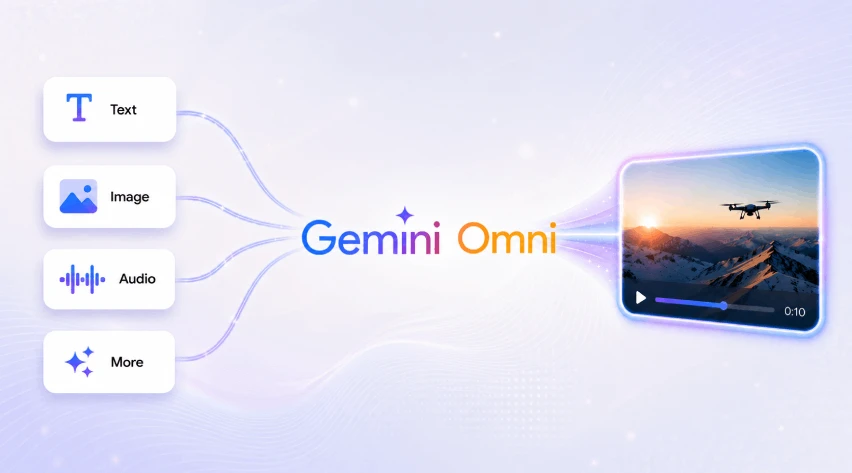
Gemini models have always kept up with AI advancements. From text-based chatbots in 2023, Gemini has evolved into a multimodal system capable of understanding and generating text, audio, images, and now videos.
AI video generation is no longer a standalone tool. With Gemini Omni, video creation becomes mainstream.
Gemini Omni isn’t important because it generates videos. It’s important because video generation is becoming just another capability of an AI assistant.
When used correctly, the use cases for it can be very creative — if you can look past the guardrails.
Sentence or Image → Video
At the bare minimum, Gemini Omni can work with a single image or a line of text to create an entire video.
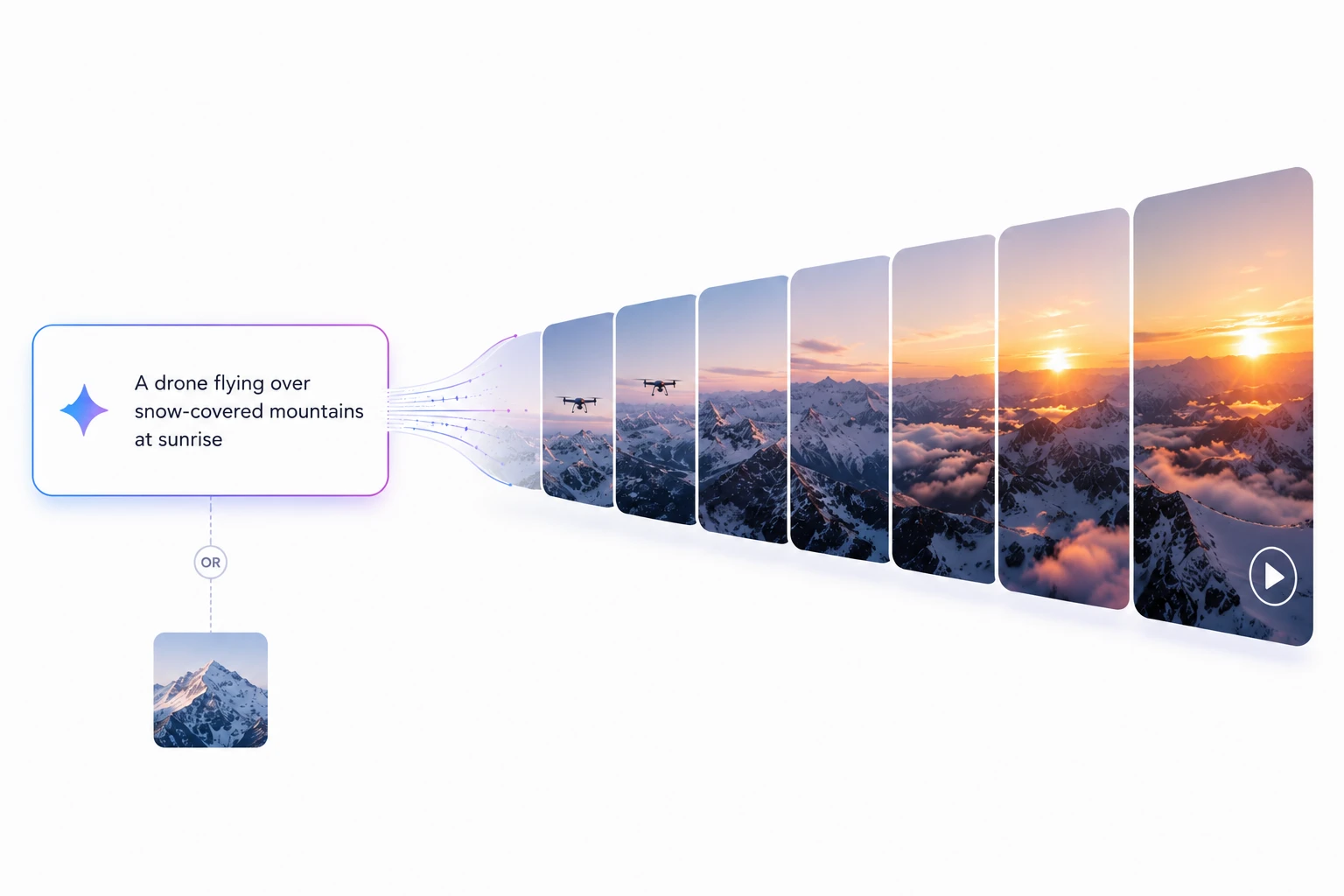
This is possible because Gemini Omni doesn’t treat text, images, audio, and video as separate tasks. Instead, it understands them as different forms of information. As a result, a simple prompt like “A drone flying over snow-covered mountains at sunrise” can be expanded into a complete video sequence with motion, scene transitions, and cinematic details.
Similarly, users can provide a static image and ask Gemini Omni to animate it, generating natural camera movement, object motion, and environmental effects from a single visual input.
Use Cases of Gemini Omni
Here are the three main use cases for Gemini Omni:
1. Image-to-Video Generation
Test: Upload an image and animate it into a video.

Prompt: “This is a silhouette of a fictional killer-like character (like the main character in American Psyc*o). I want you to animate it in a way that conveys a stealthy, dangerous personality while keeping the video’s style consistent with the image.”
Result: Aside from the BGM, the video was impressive. The style was somewhat retained from the input image, though the output leaned more cinematic than the fully 2D look that was intended.
Note: Even though this task was supposed to use just an image for video generation, a supplementary prompt had to be provided for context.
2. Text-to-Video Generation
Test: Generate a cinematic scene using only a text prompt.
Prompt:
TITLE: The Cloud Painter

STYLE: Whimsical animated short film. Charming, lighthearted, visually polished.
Soft storybook aesthetic. High-quality animation. Consistent character design
throughout the entire video.

PROMPT:
A small, round white rabbit wearing a yellow raincoat stands alone in a vast green
meadow beneath an overcast sky.
The rabbit remains the same size, appearance, clothing, and proportions throughout
the entire video.
In its paw, the rabbit holds a tiny paintbrush that glows with soft golden light.
Curious, the rabbit reaches upward and gently paints a streak across a low-hanging
cloud.
Wherever the brush touches, the gray cloud transforms into colorful shapes.
The rabbit paints a small fish-shaped cloud. The fish lazily swims through the sky.
The rabbit laughs and paints a bird-shaped cloud. The cloud bird flaps its wings
and joins the fish.
Excited, the rabbit continues painting. The sky gradually fills with playful cloud
creatures: whales, turtles, foxes, and dragons, all made entirely from soft fluffy
clouds.
The rabbit never changes clothing, never changes species, and always remains a
small white rabbit in a yellow raincoat.
A gentle breeze carries the cloud creatures across the sky. The rabbit watches
proudly from the meadow below.
Golden sunlight slowly breaks through the clouds, illuminating the scene with warm
afternoon light.
The cloud animals gather overhead and form a giant heart shape in the sky.
The rabbit sits quietly in the grass and admires its work.

Final shot: a wide cinematic view of the meadow, the rabbit sitting peacefully
beneath a sky filled with beautiful living cloud creatures drifting into the sunset.

VISUAL REQUIREMENTS:
• One character only
• Consistent rabbit appearance in every shot
• Consistent yellow raincoat
• Soft pastel color palette
• Gentle camera movements
• Storybook-quality visuals
• Cute but elegant design
• No dialogue
• High visual coherence
• Smooth animation
• Strong character consistency

NEGATIVE PROMPT:
Character changing appearance, changing clothing, extra limbs, missing limbs,
human hands, realistic humans, multiple rabbits, duplicated characters, distorted
anatomy, flickering objects, inconsistent proportions, text, subtitles, watermark,
logo, horror, darkness, aggressive action, chaotic motion.
Result: The output was a strong match for the prompt. The animation remained consistent with the described style throughout.
Note: A negative prompt is a list of things you’re telling the model not to do. Think of the main prompt as the accelerator and the negative prompt as the guardrails.
3. Editing Videos
Test: Use a video as input and edit it according to a prompt.
Prompt: “Turn this video of my gameplay into anime style. Black and white panels and all that good stuff.”
Result: The model applied a stylized anime treatment to the gameplay footage, converting it into a black-and-white paneled aesthetic consistent with the prompt.
Final Verdict
These three tests cover the majority of real-world use cases: creating videos from scratch, animating existing images, and editing existing footage. Together, they provide a clear picture of where Gemini Omni excels and where its current limitations become apparent.
Where Gemini Omni Still Falls Short
Here are the key limitations of Gemini Omni:
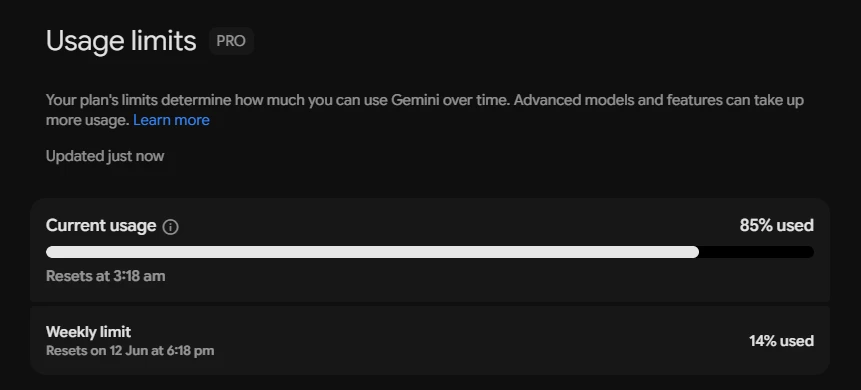
- Usage limits are depleted quickly — generating 3–5 videos is enough to exhaust them. A single 10-second video consumed approximately 22% of the usage limit during testing.
- Video duration is capped at around 10 seconds.
- Generated videos include AI watermarking via SynthID.
- Access requires a paid Google AI plan: Plus, Pro, or Ultra.
- Only one video can be uploaded as an input or reference at a time.
- Some features are region-restricted, particularly avatars and video-to-video editing.
- Certain likeness and avatar features may not work with all personal or human images, depending on policy and availability.
The most significant friction point is Gemini Omni’s copyright policy and content guardrails. Working with content that features a celebrity or is sourced from a recognizable place on the internet is nearly always blocked. Even when uploading something completely original, users may encounter generation refusals.

Generation speed — typically under a minute per video — and usage limits are secondary concerns. The most frustrating part of using Gemini Omni in practice is the frequency of unexplained generation denials.
How to Access Gemini Omni
There are two ways to access Gemini Omni:
-
Gemini subscriptions: Available through the following paid plans:
- Google AI Plus
- Google AI Pro
- Google AI Ultra
-
Developer access:
- Gemini API via Google AI Studio
- Vertex AI for enterprise deployments
Gemini Omni represents a meaningful step toward AI systems where video generation is a built-in capability rather than a separate specialized tool. Its current limitations around usage quotas, content policies, and clip length will likely ease as the platform matures, but for now it offers a practical and accessible starting point for text-to-video and image-to-video workflows.